


















TechSlave COMMUNITY Made With ❤️ in India

Tech-Slave.com Tech-Slave.com

  • Trending
  • Hot
  • Popular
Made With ❤️ in India

Tech-Slave.com Tech-Slave.com

  • free proxy list

    Free Proxy List

    by Anoop Patel
  • Top 50 Free Article Submission Sites and Their Benefits

    Top 50 Free Article Submission Sites and Their Benefits

    by Anoop Patel

How to Delete Telegram Account: A Complete Guide for 2025

Post Pagination

  • Next PostNext
  • Python explained visually
    Python Explained Visually: The Ultimate Coding Tutorial for...
  • python explained visually coding tutorial diagram
    What Is a Proxy Server? How Proxy Servers...
  • WhatsApp Location Tracker software interface showing live peer location world map and endpoint analysis panels in WhatsApp Forensicator Suite v10.0
    WhatsApp Location Tracker – Best Desktop Tool for...
  • How to create a Telegram channel
    How to Create a Telegram Channel Step by...
  • Telegram groups vs channels infographic guide
    Telegram Groups vs Channels: Key Differences Explained (2026)
  • Telegram terminology guide on tech devices
    Telegram Terminology Explained
  • How to join private Telegram groups using invite link and secret link on mobile and desktop
    How to Join Private Telegram Groups
  • Telegram paid channels complet
    Telegram Paid Channels: Complete Setup Guide
  • How to grow a telegram channel
    How to Grow a Telegram Channel Organically in...
  • free proxy list
    Free Proxy List
  • Blocked, Locked or Deleted Website, Account or Information online
    How to Delete Telegram Account: A Complete Guide...
  • Top 50 Free Article Submission Sites and Their Benefits
    Top 50 Free Article Submission Sites and Their...
  • SEO (Search Engine Optimization) tech-slave
    SEO (Search Engine Optimization)
  • How Does WhatsApp Work
    How Does WhatsApp Work? Understanding the Popular Messaging...
  • Machine learning vs AI
    Machine learning vs AI: Understanding the Key Differences...
  • How to Learn About Cybersecurity
    How to Learn About Cybersecurity: A Comprehensive Guide...
  • How to Protect Your Data from Cyber Threats
    How to Protect Your Data from Cyber Threats:...
  • How Much Money Can You Earn While on Social Security 3
    How Much Money Can You Earn While on...
  1. Home
  2. Digital
  3. How to Delete Telegram Account: A Complete Guide for 2025
1 year ago 1 year ago

Digital

How to Delete Telegram Account: A Complete Guide for 2025


Anoop Patel
by Anoop Patel 1 year ago1 year ago
114views
0
  • Total0

How to Delete a Telegram Account

The provided application stands as one of the primary messaging tools which includes encrypted messaging in addition to group messaging along with channels and more features. Although Telegram serves millions of users because of its privacy features people occasionally need to delete their accounts. Understanding the process of deleting a Telegram account becomes necessary because users need to take breaks from messaging platforms or switch to new platforms. The instructions provided here demonstrate a permanent account removal process in Telegram while answering typical questions regarding this matter.
delete facebook account

Consequences of Deleting Your Telegram Account

Users need to understand the complete meaning of Telegram account deletion before starting their account deletion process. The deletion of your Telegram account results in the permanent loss of messages contacts and groups together with any other connected data to your account. You lose permanent access to both your message backup and the possibility to re-create your deleted Telegram account after performing the deletion process through the app.

The chance to recover Telegram accounts extends into a designated period. Within thirty days after deleting the account you can return and restore your Telegram account if you discover adverse deletion consequences. Using this precaution protects your data from any possible retrieval after deletion occurs.

Why Would You Want to Delete Your Telegram Account?

Multiple factors exist that motivate individuals to seek the deletion of their Telegram accounts. The following list outlines several usual reasons why users choose to delete their Telegram accounts:

The dislike regarding self-expression exists as a reason that some users opt to remove their Telegram accounts from service.

Some Telegram users spend extended hours on the platform thus they would like to cut down their usage time on these applications.

Users should remove their account before starting communication on another messaging platform.

Security hazards that put your account at risk constitute the strongest justification for deleting your Telegram account.

How to Delete Telegram Account: Step-by-Step Guide

This guide explains the complete procedure for completely deleting the Telegram account.

Open Your Browser

You cannot perform account deletion from the Telegram mobile application even though the procedure differs from standard apps. The process of using the Telegram Deactivation Page needs to happen through your web browser. To continue you must launch your browser application (Safari or Chrome or others) then navigate to the Telegram Deactivation Page.

The process requires the user to log in to their Telegram account through the second step.

Users must submit their phone number during the deactivation process on the provided page. Use the phone number associated with your Telegram account which you want to recover. The payment process finishes with the login code delivery through SMS to your provided phone number which needs manual entry.

A user must navigate to the delete account section for the third step to begin.

The user must log in first until the system shows the account settings page. The page contents contain language similar to “Delete Account” which enables users to execute the action. Users can typically find this option beneath the section titled “If You Choose to Delete Your Account”.

Confirm Your Decision

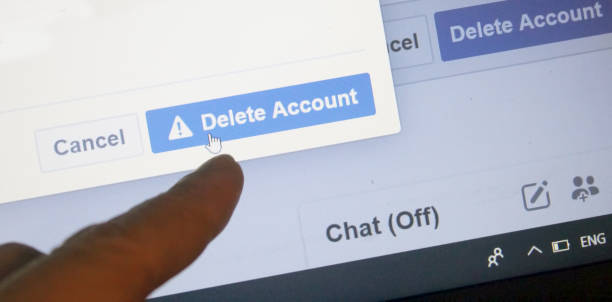
You can choose to delete or cancel your account through clicking the “Delete Account” button that leads directly to the confirmation process. The quick notification from Telegram informs users about total deletion of account data without any recovery or saving possibility. You need to confirm the process by clicking on the confirmation button when you have complete confidence in the action.

Before permanent deletion, users must review every piece of information produced by registration steps.

When users need to delete their account Telegram will prompt them to provide the reason for destruction. Users can modify their previous answers for a particular question after selecting either the specified options or the ‘other’ choice. Clicking on “Delete My Account” will completely remove your presence on the website from the platform.

Users search for instructions under two names to remove Telegram messenger accounts either by uninstalling them from Telegram or through desktop or laptop applications.

The internet requirement for profile deactivation exists but this straightforward page serves most account deletion needs alongside the desktop application option chosen by other users. Telegram Desktop works similarly to mobile by not allowing direct account deletion so it will guide users to access the browser version deactivation page.

How to Delete a Telegram Account via Mobile

Account deletion from the Telegram application remains impossible while the process becomes possible only through the use of Message Controller API. The deactivation page of the application can be accessed through the links presented below. Here’s how:

You must reach the application icon menu called Telegram from your mobile interface.

Open the menu by clicking the three horizontal lines positioned at the top left screen corner.

Scroll down to “Settings.”

Tap “Privacy and Security.”

Users can locate ‘If Away For ‘ near the bottom of the screen and then should select ‘Delete my Account’. The process to reach the Telegram Deactivation Page starts with signing in before proceeding to execute the described steps.

What to Do If You Change Your Mind?

When you want suspension of account usage instead of complete deletion you can simply log out from Telegram application. It also activates automatic deactivation of accounts under inactive conditions. Accessing your account before these thirty days ends will reactivate your Telegram profile.

Some Information You Should Note About Deletion of Telegram Account

According to their statements, you cannot reverse the deletion of messages since it becomes permanent. Perform this option only after you have saved all important files which you will later need.

Account owners who request deletion receive instant deletion of their accounts but maintain 30 days to log back in and regain access until the account finally dissolves within 30 days. The solution dissipates before 30 days yet transforms color to amber afterward.

Using this option prevents any possibility to reverse the account removal process following its permanent deletion state. Therefore it demands careful evaluation before making such a decision.

Conclusion: How to Delete a Telegram Account

Before starting the process you should understand the negative effects that will occur following your decision to delete a telegram account. All data and messages from your former account will permanently vanish after deletion such that you will lose access to them forever. Reading this article will help you how to delete your Telegram account while avoiding problems when you find yourself obliged to delete it because of concerns about privacy or other reasons.
How to Delete a Telegram Account 2

Before removing your account save important material you might need later on and be aware that your account will become inaccessible after passing the 30-day trial period.

Following this procedure while understanding the effects will help you efficiently delete your Telegram account.

 (FAQs): How to Delete a Telegram Account

The article states that recovering a deleted Telegram account becomes possible through specific conditions. Is it?

Once you delete your account it remains reversible during the 30-day trial phase when simply signing into your account can retrieve it. After this window expires your account plus every piece of associated information will become unrecoverable through permanent deletion.

People continue to feel concerned about their accounts being hacked thus their questions become “Is it okay to delete my telegram?”

The information in this article lets users safely delete their Telegram account. Once you delete your data it becomes lost permanently thus confirm you want to lose everything before performing the delete action.

Post Pagination

  • Previous PostPrevious
  • Next PostNext

Deleting Telegram in 2025 – Full Removal Ultimate Guide, How to Delete a Telegram Account, How to delete a Telegram account for good, How to Delete Telegram Account Permanently in 2025, How To Delete Your Telegram Account Permanently in 2025

Like it? Share with your friends!

0
  • Total0

What's Your Reaction?

hate hate
0
hate
confused confused
0
confused
fail fail
0
fail
fun fun
0
fun
geeky geeky
0
geeky
love love
0
love
lol lol
0
lol
omg omg
0
omg
win win
0
win
Anoop Patel

Posted by Anoop Patel

Anoop Patel is a cybersecurity expert, tech educator, and the founder of Tech-Slave.com. With years of hands-on experience in penetration testing, Linux administration, and digital security, Anoop helps readers understand complex technology topics through practical, beginner-friendly guides. He specializes in cybersecurity, ethical hacking, cloud infrastructure, and digital marketing. Follow his work to stay ahead of the latest tech trends and security threats.
  • Previous Post
    free proxy list
    Free Proxy List
    by Anoop Patel
  • Next Post
    Top 50 Free Article Submission Sites and Their Benefits
    Top 50 Free Article Submission Sites and Their Benefits
    by Anoop Patel

More From: Digital

  • 410
    How to Protect Your Data from Cyber Threats
    DigitalHow to Protect Your Data from Cyber Threats

    How to Protect Your Data from Cyber Threats: A Comprehensive Guide in 2025

    Anoop Patel
    by Anoop Patel

DON'T MISS

  • 30
    Python explained visually
    Technology

    Python Explained Visually: The Ultimate Coding Tutorial for Visual Learners (2026)

    Anoop Patel
    by Anoop Patel
  • 110
    python explained visually coding tutorial diagram
    Security, Technology

    What Is a Proxy Server? How Proxy Servers Work Explained

    Anoop Patel
    by Anoop Patel
  • 60
    WhatsApp Location Tracker software interface showing live peer location world map and endpoint analysis panels in WhatsApp Forensicator Suite v10.0
    Security, Technology

    WhatsApp Location Tracker – Best Desktop Tool for Real-Time Location Intelligence (2025)

    Anoop Patel
    by Anoop Patel
  • 100
    How to create a Telegram channel
    LinuxA tool for reporting telegram channel, AI: A Complete Guide in Simple Terms, Auto create Telegram accounts, No SIM Telegram setup

    How to Create a Telegram Channel Step by Step (2026 Guide)

    Anoop Patel
    by Anoop Patel
  • 280
    Telegram groups vs channels infographic guide
    Linux, Security, Web DevelopmentA tool for reporting telegram channel, AI: A Complete Guide in Simple Terms, best telegram channels for movies, groups

    Telegram Groups vs Channels: Key Differences Explained (2026)

    Anoop Patel
    by Anoop Patel
  • 80
    Telegram terminology guide on tech devices
    Linux, Security, Web DevelopmentA tool for reporting telegram channel, AI: A Complete Guide in Simple Terms, ddos attack explained, terminology

    Telegram Terminology Explained

    Anoop Patel
    by Anoop Patel

Hot

  • 1
    Social Media Marketing Platforms Your Business Must Invest In 1

    Social Media Marketing: Platforms Your Business Must Invest In!

  • 2
    Most Common Customer Service Challenges and Tips on How to Handle Them 1

    Most Common Customer Service Challenges and Tips on How to Handle Them?

  • 3
    Create a new Telegram bot with BotFather

    How To Create New Telegram Bot With BotFather

  • 4
    Telegram groups vs channels infographic guide

    Telegram Groups vs Channels: Key Differences Explained (2026)

original ad 300

Find Us On

  • Python explained visually
    Python Explained Visually: The Ultimate Coding Tutorial for...

    Python Explained Visually: The Ultimate Coding Tutorial for...

  • python explained visually coding tutorial diagram
    What Is a Proxy Server? How Proxy Servers...

    What Is a Proxy Server? How Proxy Servers...

  • WhatsApp Location Tracker software interface showing live peer location world map and endpoint analysis panels in WhatsApp Forensicator Suite v10.0
    WhatsApp Location Tracker – Best Desktop Tool for...

    WhatsApp Location Tracker – Best Desktop Tool for...

  • How to create a Telegram channel
    How to Create a Telegram Channel Step by...

    How to Create a Telegram Channel Step by...

  • Telegram groups vs channels infographic guide
    Telegram Groups vs Channels: Key Differences Explained (2026)

    Telegram Groups vs Channels: Key Differences Explained (2026)

  • Telegram terminology guide on tech devices
    Telegram Terminology Explained

    Telegram Terminology Explained

  • How to join private Telegram groups using invite link and secret link on mobile and desktop
    How to Join Private Telegram Groups

    How to Join Private Telegram Groups

  • Telegram paid channels complet
    Telegram Paid Channels: Complete Setup Guide

    Telegram Paid Channels: Complete Setup Guide

  • How to grow a telegram channel
    How to Grow a Telegram Channel Organically in...

    How to Grow a Telegram Channel Organically in...

  • free proxy list
    Free Proxy List

    Free Proxy List

  • Blocked, Locked or Deleted Website, Account or Information online
    How to Delete Telegram Account: A Complete Guide...

    How to Delete Telegram Account: A Complete Guide...

  • Top 50 Free Article Submission Sites and Their Benefits
    Top 50 Free Article Submission Sites and Their...

    Top 50 Free Article Submission Sites and Their...

  • SEO (Search Engine Optimization) tech-slave
    SEO (Search Engine Optimization)

    SEO (Search Engine Optimization)

  • How Does WhatsApp Work
    How Does WhatsApp Work? Understanding the Popular Messaging...

    How Does WhatsApp Work? Understanding the Popular Messaging...

  • Machine learning vs AI
    Machine learning vs AI: Understanding the Key Differences...

    Machine learning vs AI: Understanding the Key Differences...

  • How to Learn About Cybersecurity
    How to Learn About Cybersecurity: A Comprehensive Guide...

    How to Learn About Cybersecurity: A Comprehensive Guide...

  • How to Protect Your Data from Cyber Threats
    How to Protect Your Data from Cyber Threats:...

    How to Protect Your Data from Cyber Threats:...

  • How Much Money Can You Earn While on Social Security 3
    How Much Money Can You Earn While on...

    How Much Money Can You Earn While on...

JOIN OUR COMMUNITY

Boombox Footer Logo

JOIN OUR COMMUNITY

Boombox Footer Logo

INFORMATION

Made With ❤️ in India

  • Home
  • About us
  • Community
  • Terms
  • Privacy
  • Contact Us
© 2026 All Rights Reserved

log in

Captcha!
Forgot password?

forgot password

Back to
log in