



















Telegram bots are powerful automated programs that can perform a wide range of tasks — from answering customer queries and sending scheduled messages to managing groups, processing payments, and delivering real-time notifications. Creating your own Telegram bot is surprisingly easy, and it all starts with BotFather, Telegram’s official bot creation tool. In this step-by-step guide, we will walk you through everything you need to know about how to create a new Telegram bot with BotFather.
What is BotFather?
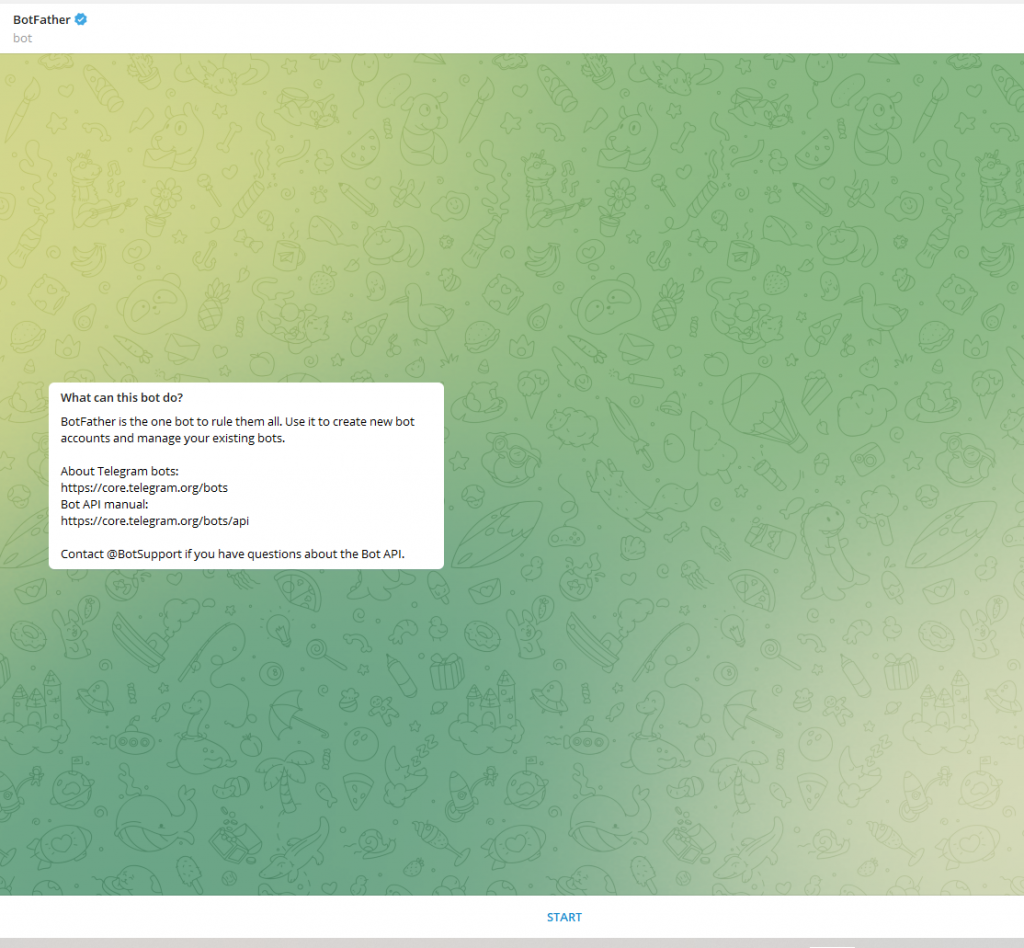
BotFather is Telegram’s official, verified bot that acts as the control center for all Telegram bots. It allows you to create new bots, set their names and usernames, generate API tokens, customize their profile pictures, and manage various bot settings — all through a simple chat interface within Telegram. BotFather is the first step in any Telegram bot development journey.
You can find BotFather on Telegram by searching for @BotFather. Look for the blue verified checkmark to ensure you are using the official bot.
Why Create a Telegram Bot?
Before we dive into the steps, here are some compelling reasons why businesses and developers create Telegram bots:
- Customer Support Automation — Bots can handle FAQs, support tickets, and common queries 24/7 without human intervention.
- Marketing and Notifications — Send automated promotional messages, alerts, and updates directly to subscribers.
- E-Commerce Integration — Process orders, accept payments, and manage inventory through a bot.
- Group Management — Moderate Telegram groups, welcome new members, and enforce rules automatically.
- Content Delivery — Deliver news, weather updates, cryptocurrency prices, or any real-time data to users on demand.
- Games and Entertainment — Build interactive quizzes, games, and experiences directly in Telegram chats.
How To Create a New Telegram Bot With BotFather: Step-by-Step
Step 1: Open BotFather on Telegram
Open the Telegram app on your phone or desktop. In the search bar, type @BotFather and select the verified account (it has a blue checkmark). Tap or click “Start” to begin a conversation with BotFather.
Step 2: Send the /newbot Command
In the BotFather chat, type the command /newbot and press Send. BotFather will respond and begin guiding you through the bot creation process by asking you a series of questions.
Step 3: Choose a Name for Your Bot
BotFather will first ask: “Alright, a new bot. How are we going to call it? Please choose a name for your bot.”
Type the display name for your bot. This is the name users will see in conversations and search results. It can be anything — for example, “MyShop Assistant” or “News Daily Bot.” This name does not need to be unique.
Step 4: Choose a Username for Your Bot
Next, BotFather will ask you to choose a username for your bot. The username must:
- Be unique (no two bots can share the same username)
- Be at least 5 characters long
- Contain only letters, numbers, and underscores
- End with the word bot — for example,
myshop_botornewsdailybot
If your chosen username is already taken, BotFather will notify you. Try different variations until you find an available one.
Step 5: Receive Your Bot API Token
Once your bot is created successfully, BotFather will congratulate you and provide your bot’s unique API token. This token looks something like this:
123456789:AAF2xKZ9hY2Lp7VUiR3TqGfZ8mOxN1dPqXYImportant: Keep your API token secret and secure. Anyone who has your token can control your bot. Never share it publicly or commit it to public code repositories.
Step 6: Customize Your Bot (Optional)
After creating your bot, you can use BotFather’s additional commands to customize it further:
- /setdescription — Add a description that users see when they first open your bot.
- /setabouttext — Set the “About” text shown on your bot’s profile page.
- /setuserpic — Upload a profile picture for your bot.
- /setcommands — Define a list of slash commands your bot supports (e.g., /start, /help, /settings).
- /setprivacy — Control whether your bot reads all messages in groups or only commands directed at it.
- /setjoingroups — Allow or prevent your bot from being added to groups.
How to Use Your Telegram Bot API Token
The API token is what connects your bot to the Telegram servers. You use it to send and receive messages programmatically using the Telegram Bot API. Here are the most common ways to use your bot token:
- Python (using python-telegram-bot library) — The most popular method for building bots with full automation capabilities.
- JavaScript/Node.js (using node-telegram-bot-api) — Ideal for web developers building API-integrated bots.
- PHP — Works well for WordPress and server-based bot implementations.
- No-Code Tools — Platforms like ManyChat, Integromat (Make), and Zapier allow non-developers to build bots using your API token without writing code.
Useful BotFather Commands Reference
Here is a complete reference of the most important BotFather commands:
/newbot— Create a new bot/mybots— View and manage all your bots/token— Generate a new API token for a bot/revoke— Revoke the current API token and generate a new one/deletebot— Permanently delete one of your bots/setname— Change the display name of your bot/setdescription— Update the bot’s description/setabouttext— Update the bot’s “About” info/setuserpic— Set or change the bot’s profile photo/setcommands— Edit the bot’s command list/setprivacy— Configure privacy settings for groups/setinline— Enable inline mode for your bot
Frequently Asked Questions
Is creating a Telegram bot free?
Yes! Creating a Telegram bot through BotFather is completely free. Telegram’s Bot API is also free to use. You only pay for hosting costs if you run your bot on a server, but development and API access itself costs nothing.
How many bots can I create with BotFather?
Telegram currently allows each user account to create up to 20 bots. This is more than enough for most individual developers and small businesses. If you need more, you can use a different Telegram account.
Can I change my bot’s username after creation?
No. Once a Telegram bot username is set and verified, it cannot be changed. You can change the display name of your bot, but the @username is permanent. Choose your username carefully when first creating the bot.
What should I do if my API token is exposed?
If you accidentally expose your API token, go to BotFather immediately and use the /revoke command to invalidate the old token and generate a new one. Update your bot’s code with the new token right away.
Conclusion
Creating a Telegram bot with BotFather is a quick and straightforward process that takes just a few minutes. With your bot set up and your API token in hand, you can connect it to any programming language or no-code platform to bring your bot’s functionality to life. Whether you are building a customer support bot, a marketing automation tool, or a fun interactive game, BotFather is your gateway to the world of Telegram bot development. Start building today and leverage the power of Telegram’s 900 million+ user base for your project.


One Comment
Comments are closed.